

A/B test shipping rates with Intelligems
Overview
Section titled “Overview”Shipping Plus gives you more control over your shipping rates. Combined with Intelligems, you can use any of the Shipping Plus modifications based on the Intelligems test group. This allows you to create tests and get insights into how some changes to shipping rates might impact your conversion and revenue.
Setup Intelligems Tests & Integration
Section titled “Setup Intelligems Tests & Integration”When you setup your test inside of Intelligems, you can “view info” from the test to access the ID of each test group. These IDs are what you will put into the Corso condition to control the Shipping Plus modification.
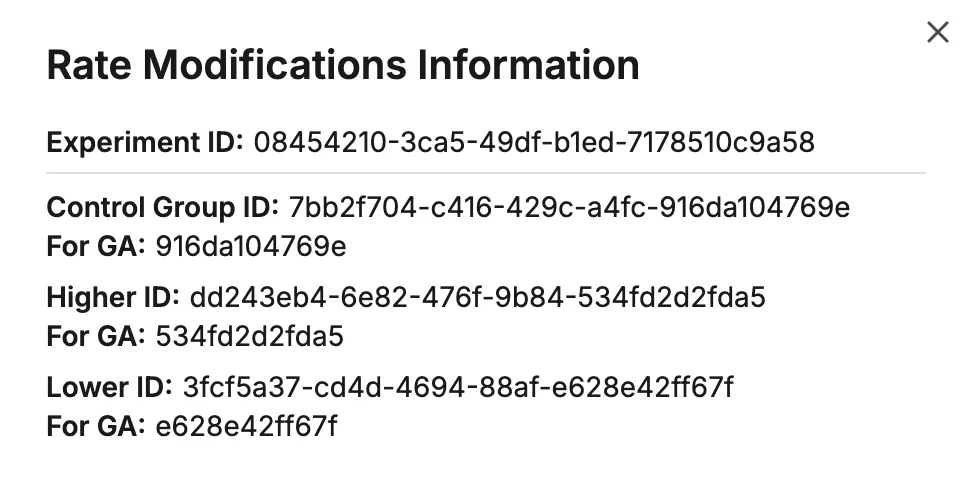
You will need to contact your Intelligems representative to enable “Line Item Properties” for your test. This will attach a line item property of the ID to each product that Corso will be able to use in checkout and modify the rates.
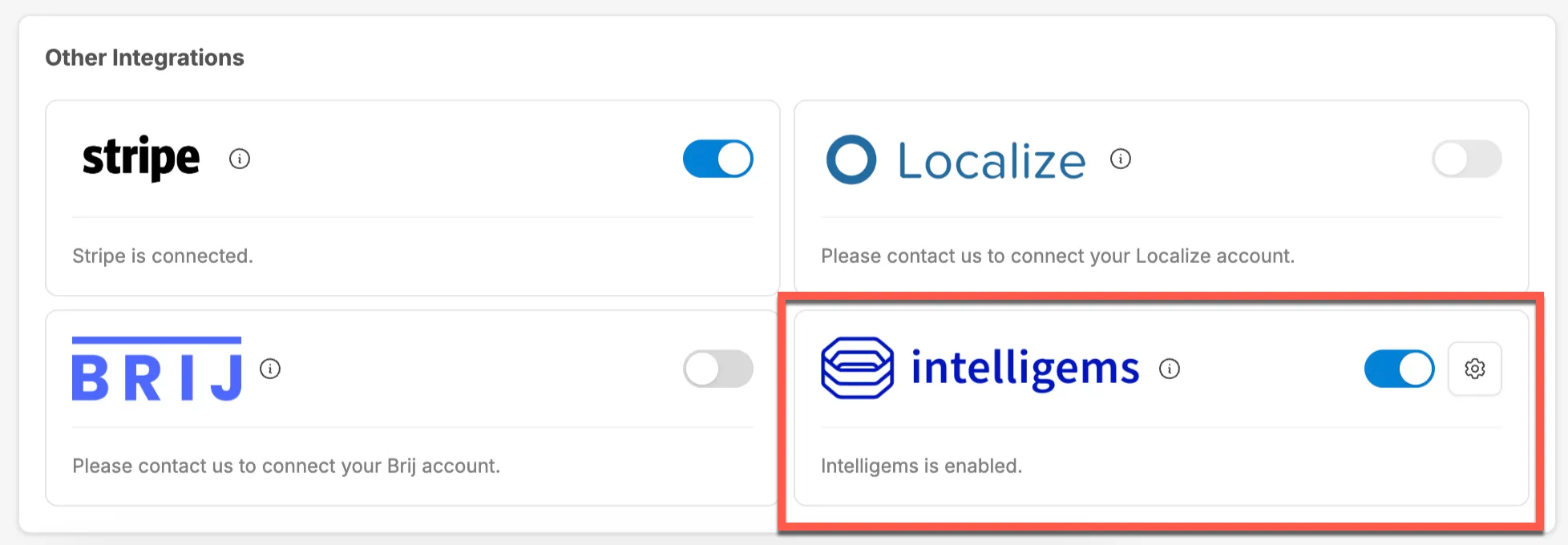
Go to Settings > Integrations in the Corso admin and enable the Intelligems integration.
Create Rate Modification conditions
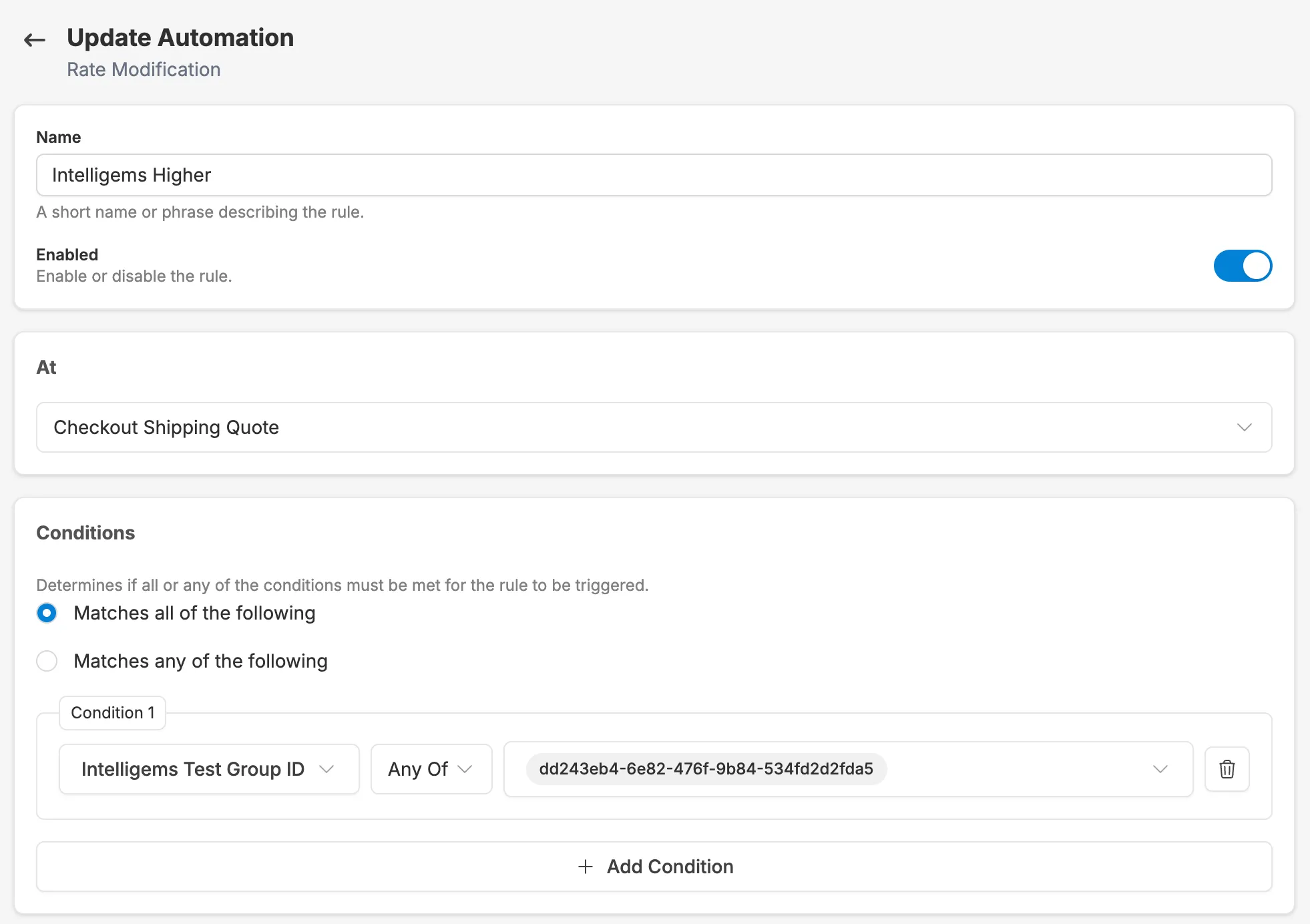
Section titled “Create Rate Modification conditions”Within the Shipping Plus settings, create a new rate modification and choose the condition of “Intelligems Test Group ID”, then copy and paste the relevant id from your Intelligems test group into Corso.
Add A Modification
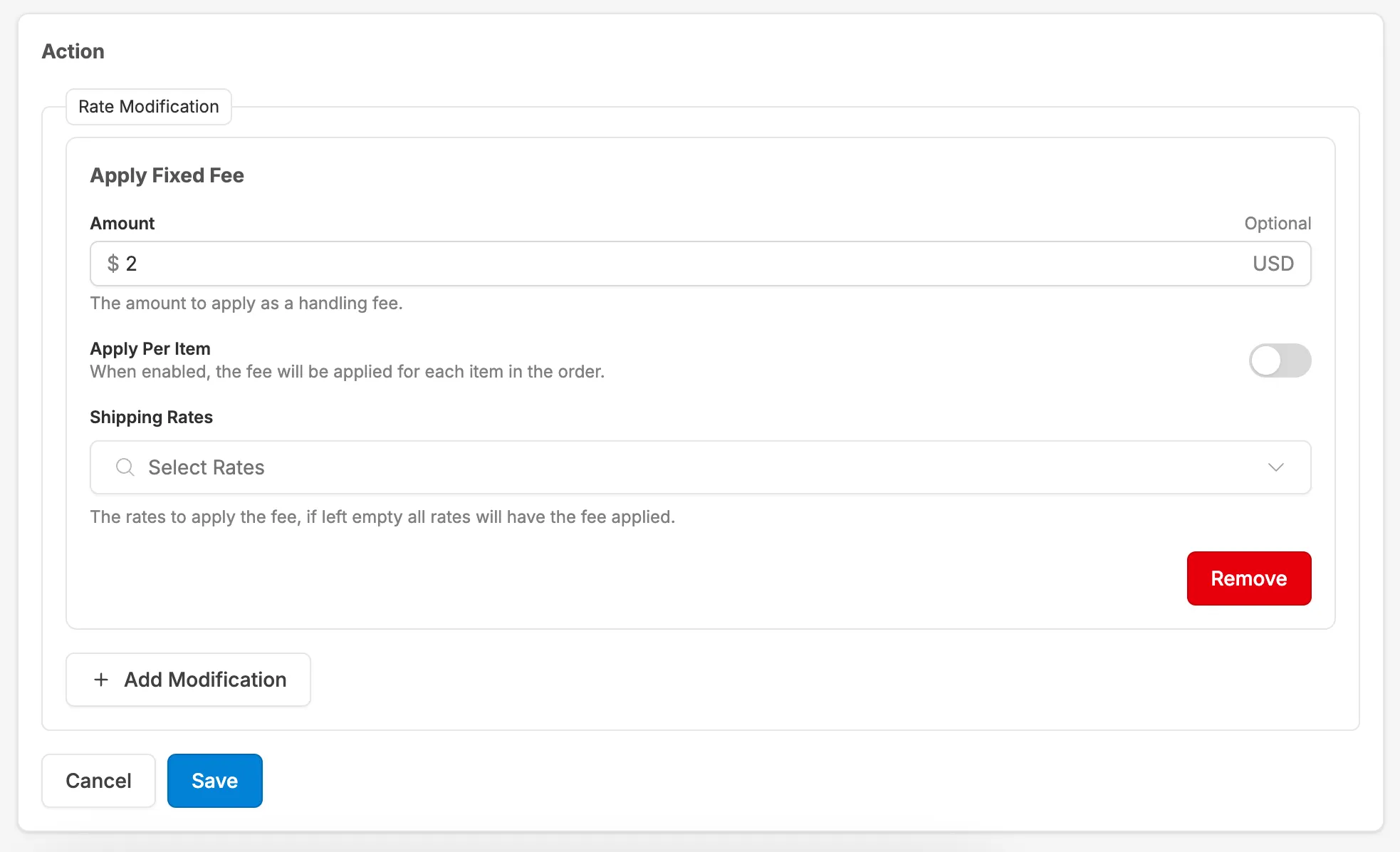
Section titled “Add A Modification”With the Intelligems ID added, from here you will be able to add a modification to markup a rate, apply a shipping discount, or modify what rates are provided. This example adds a $2 markup to all provided rates for the specific Intelligems test group
Only the first matching Rate Modification rule applies at checkout, so place your test group rules above any broader rules in your list.
Try It Out
Section titled “Try It Out”You can test all kinds of scenarios, from simple tests like this one to more complex scenarios by product or geo location. The Intelligems Test Group ID condition is also available on Delivery Estimate rules, so you can test different delivery promises.